

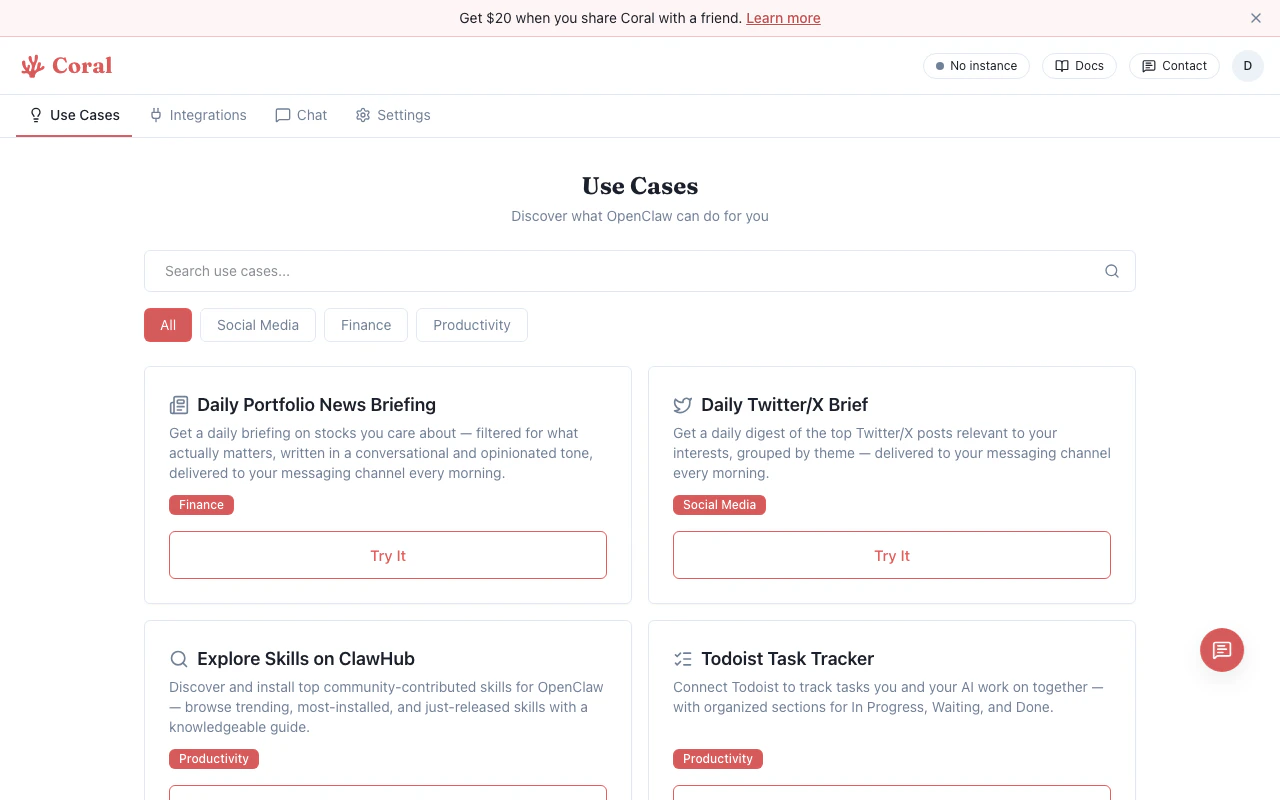
Use Cases page
Browsing use cases
- Navigate to the Use Cases tab in the sidebar.
- Use the search bar to filter by title or description.
- Use the category pills to filter: All, Social Media, Finance, Productivity.
Trying a use case
Click “Try It” on any use case card. You’ll be redirected to the Chat page with the full workflow prompt pre-filled in the input box. Press Enter to send, and your assistant walks you through setup step by step.Available templates
Daily Portfolio News Briefing
Category: Finance Sets up a daily morning briefing on stocks you track, delivered to your messaging channel. Your assistant:- Asks which stock tickers to track
- Asks your preferred briefing time and messaging channel
- Delivers a 500-800 word opinionated briefing each morning using the built-in web search tool
Daily Twitter/X Brief
Category: Social Media Monitors Twitter/X for topics and accounts you care about and delivers a daily digest. Your assistant:- Asks which topics and accounts to follow
- Asks your preferred time and messaging channel
- Delivers the top 5-10 posts each morning, grouped by theme with summaries and links
Explore Skills on ClawHub
Category: Productivity Browse and install community-contributed skills from the ClawHub marketplace. Your assistant:- Pulls trending, most-installed, and newly released skills
- Asks about your interests and searches for matching skills
- Inspects skills before recommending them (shows stars, installs, descriptions)
- Installs your chosen skills directly into your sandbox
Todoist Task Tracker
Category: Productivity Connects to Todoist to help you track tasks collaboratively with your assistant. Setup:- Connect Todoist via the App Integrations section in the Integrations tab (your assistant checks if it’s already connected)
- Your assistant creates an organized project with sections: In Progress, Waiting, Done
- Track and manage tasks through conversation
Audio Journaling to Notion
Category: Productivity Send voice memos via a messaging channel, and your assistant transcribes and organizes them in Notion. Setup:- Connect Notion via the App Integrations section in the Integrations tab (your assistant checks if it’s already connected)
- Enable the Whisper skill and provide an OpenAI API key
- Your assistant creates a “Daily Journals” database in Notion
- Send audio snippets — they’re transcribed and organized by date
Create Presentation Slides
Category: Productivity Create animation-rich HTML presentations with distinctive visual styles — from scratch or by converting PowerPoint files. Your assistant:- Asks about the topic and purpose of your presentation (pitch deck, conference talk, tutorial, etc.)
- Shows visual style options so you can pick what looks best — no design skills needed
- Generates a single self-contained HTML file with animations, transitions, and responsive design
- Supports keyboard, touch, and scroll navigation — zero dependencies, works anywhere
Creating your own workflows
Use cases are just prompts — you can write your own. Tips:- Be explicit about setup steps (API keys, integrations needed)
- Describe the recurring behavior you want (daily briefing, event-triggered action, etc.)
- Reference specific features by name (Settings, Integrations, Environment Variables) so your assistant knows where to guide you