

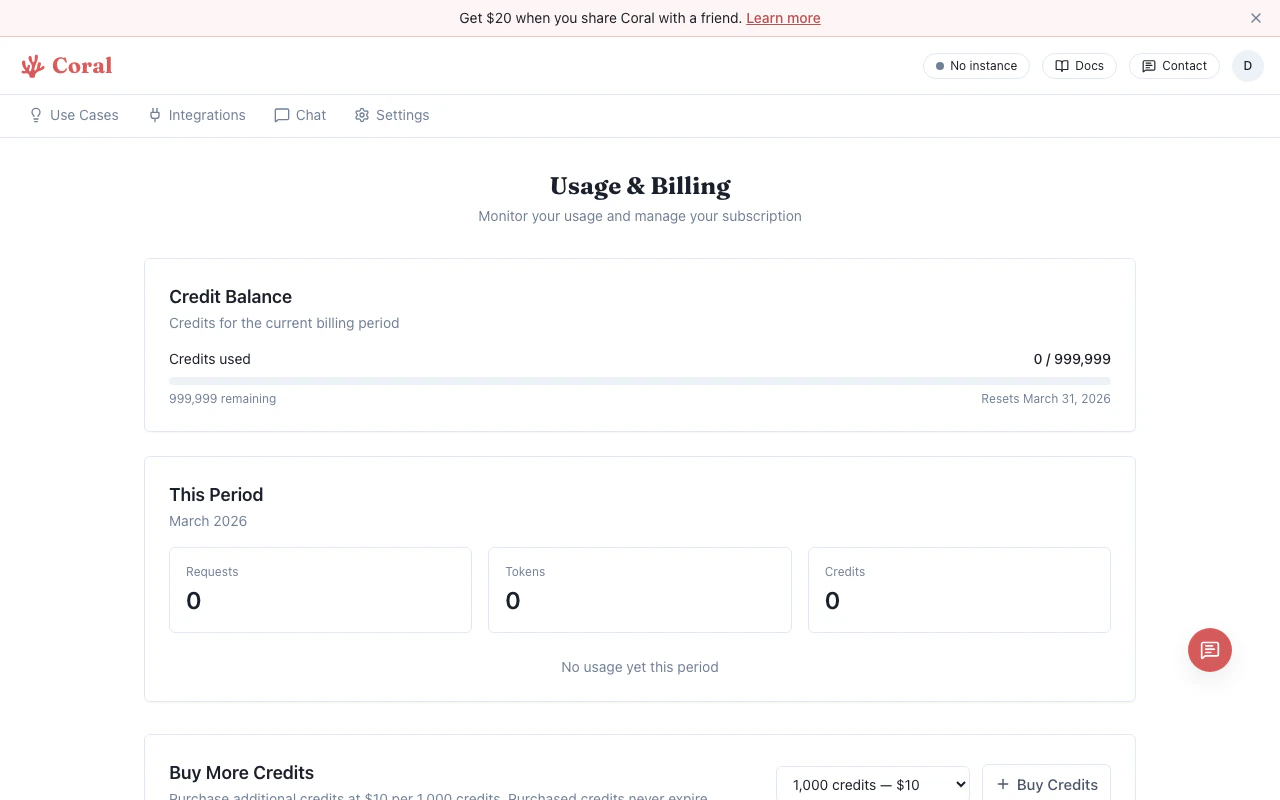
Usage & Billing page
Plans
Standard
Best for light automation and getting started.- Your agent runs 24/7
- Standard task capacity
- LLM credits included
- 5,000 credits included to get you started
- Popular tools included at no extra cost: Exa Search, Twitter, LinkedIn, ElevenLabs, and more
- Community support
Ultra
Best for power users and small teams.- Everything in Standard, plus:
- Performance private cloud machine with 12GB RAM
- 20,000 credits included
- Dedicated support from our engineers
- Early access to new feature
Enterprise
Best for teams that need custom solutions and dedicated support.- Everything in Ultra, plus:
- Custom credit allowances
- Launch multiple agents
- Team management & access control
- Centralized operations and monitoring
- Audit logs
Subscribing
- After signing in, you’re prompted to choose a plan.
- The Standard plan offers a 7-day free trial — no payment required upfront.
- Click “Start Free Trial” or “Subscribe” to proceed to Stripe checkout.
- After subscribing, return to Coral to set up your assistant.
Tracking usage
Your usage is visible on the Settings page under Usage & Billing:- Current Plan — Shows your active plan with a link to manage it.
- Credit Balance — Visual progress bar showing credits used vs. included, with the reset date.
- This Period — Total requests, tokens, and cost, broken down by AI provider (OpenAI, Anthropic, Google, etc.).
Switching plans
- Go to Settings > Usage & Billing > Manage Plan, or navigate to the Billing page directly.
- Click “Switch to [Plan Name]” on your desired plan.
- The change takes effect at the end of your current billing period. You keep your current credits until then.
Buying more credits
If you run out of credits before your billing period resets, you can purchase additional credits:- Navigate to the Billing page.
- In the Buy More Credits section, select how many credits you want.
- Credits are priced at $10 per 1,000 credits.
- Purchased credits never expire — they carry over across billing periods.
Referrals
Share Coral with others and earn credits:- Navigate to the Billing page.
- Find your unique referral link in the Referrals section.
- When someone signs up using your link and converts to a paid plan, you both earn bonus credits.
Managing billing
Click “Manage Billing” to open the Stripe customer portal where you can:- Update payment methods
- View invoices
- Cancel your subscription
How credits are consumed
Each AI model request costs credits based on the model tier and token count:- Light tier models (Gemini 3 Flash) use the fewest credits per request.
- Standard tier models (Claude Sonnet 4.6) use a moderate amount.
- Pro tier models (Claude Opus 4.6, Gemini 3.1 Pro) use the most credits per request.